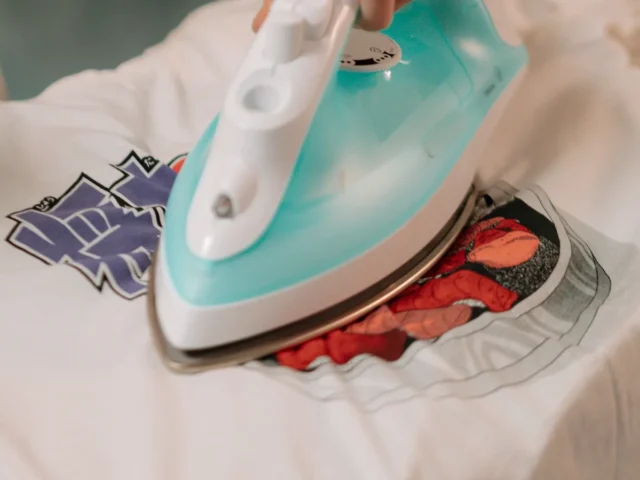
Heat transfer vinyl (HTV) is a thin film glued onto the surface, so it works on cotton and on dark shirts. Sublimation and Infusible Ink turn into a gas and bond into polyester or a polymer coating, on a white or light base. Sublimation needs a sublimation printer, while Infusible Ink sheets come pre-inked for a Cricut to cut.
What is the difference between sublimation, HTV and Infusible Ink?
The difference is where the design ends up. HTV sits on top of the fabric. Sublimation and Infusible Ink go into it.
- Heat transfer vinyl: a cut film with a heat-activated glue on the back. Cricut describes HTV as artwork “attached on top of a base material using adhesive”. Siser’s EasyWeed is a polyurethane (PU) film.
- Sublimation: a design printed with sublimation ink onto coated paper. Under heat and pressure, the solid dye turns to a gas and bonds into polyester fibers or a polymer coating, Sawgrass explains.
- Infusible Ink: Cricut’s own system of pre-inked transfer sheets and pens. The ink also changes from a solid to a gas and bonds with the blank. Cricut says its transfer “becomes one with the material itself.”
So Infusible Ink works the same way as sublimation, with no printer. Cricut says blanks sold as sublimation-compatible “will likely work” with Infusible Ink. It also notes that it can’t guarantee results on blanks it doesn’t make.
How do the three methods compare side by side?
| Heat transfer vinyl | Infusible Ink | Sublimation | |
|---|---|---|---|
| Where the design sits | On top, held by glue | Inside the blank | Inside the fibers or coating |
| 100% cotton | Yes | No | No with standard ink |
| Polyester needed | None; EasyWeed lists cotton, polyester, blends and leather | At least 75% for preferred results | Works best on white 100% polyester or a 65/35 poly-cotton |
| Dark or bright shirts | Yes, any color | No, white or light only | Limited, only by printing onto EasySubli vinyl |
| Hard items | Yes, “almost any surface,” including wood | Limited, Cricut-compatible mugs and coasters | Limited, polymer-coated mugs, metal, tiles and boards |
| Glitter, metallic or holographic | Yes | No | Not stated |
| Maker’s durability claim | “Extremely durable wash after wash” (EasyWeed) | “Never flake, peel, wrinkle, or crack” | “Will not crack, peel or fade with washing” |
| Printer needed | No | No, sheets come pre-inked | Yes, a sublimation printer and inks |
| Cutting machine | Listed by Cricut, plus a weeder | Yes, to cut the sheets | No, optional for cut shapes |
| Household iron | Yes | No, not recommended | Not stated |
| Press heat | 305°F for EasyWeed | A press that reaches 400°F | 400°F for 45 seconds on polyester |
Sources: Cricut’s Infusible Ink FAQ, troubleshooting, Everyday Iron-On and Sublimation Printer Paper pages; Siser’s EasyWeed page; Sawgrass’s glossary, ink guide and press settings. Glitter and specialty finishes are Cricut’s statement about its own range. A dash means the maker doesn’t state it.
Which fabrics and blanks does each one need?
HTV is the least fussy. Cricut says iron-on goes on “almost any surface” and on any color of garment. It names wood and 100% cotton as jobs for HTV. Siser lists cotton, polyester, cotton/poly blends and leather for EasyWeed. Each vinyl line has its own list, and heat transfer vinyl settings sets them out brand by brand.
Infusible Ink is the strictest. It must go on a compatible blank, and Cricut says it will not transfer to 100% cotton. Cricut sells badged shirts, totes, coasters and mugs for it. On a blank without the badge, Cricut says it doesn’t recommend trying.
Sublimation needs polyester for fabric and a polymer coating for hard items. Without that coating, Sawgrass says sublimation “will not take on a hard surface”. Sawgrass’s settings chart covers mugs, metal, glass, tiles, acrylic and MDF board.
How much polyester do sublimation and Infusible Ink need?
The two makers word it differently. Cricut sets at least 75% polyester as the minimum that could give its preferred results. Sawgrass says its SubliJet UHD ink works best with white 100% polyester or 65/35 poly-cotton. Sawgrass gives no single minimum.
Sawgrass adds a trade-off. More polyester gives a “brighter and more durable” result. Less polyester gives a softer, more vintage finish.
Can you use them on dark or cotton shirts?
HTV, yes. Cricut says to use iron-on when a project needs a dark base. Infusible Ink works only on white or light-colored fabrics.
Standard sublimation is for white or light items too. Sawgrass names them the best choice for its sublimation inks. For cotton or dark shirts, Sawgrass’s route is to print onto Siser EasySubli vinyl, which then goes on like HTV. It also sells separate ink systems for cotton. Its glossary calls cotton “a fabric sublimation was never able to decorate before”.
Which feels softer and lasts longer?
No maker gives a measured figure for feel. What they say comes down to where the design sits.
- HTV is a layer you can feel on top of the fabric. Siser says EasyWeed is “thinner than others on the market”. Silhouette lists its Smooth vinyl at 0.10 mm thick.
- Infusible Ink gives “seamlessly smooth transfers,” in Cricut’s words.
- Sublimation becomes part of the fabric, so nothing sits on top. Sawgrass links a softer finish to lower polyester content.
The durability lines in the table are the makers’ own claims, not independent tests. None of the pages read gives a number of washes. Two limits are stated, though. Cricut warns that pressing Infusible Ink again may cause it to fade. Heating it longer than the set time can destroy the pigment.
Care is similar for all three. Cricut’s Infusible Ink and sublimation paper pages say to wash cold with mild detergent and to tumble dry low or line dry. They rule out fabric softener, dryer sheets and bleach. For HTV, Cricut and Siser both say to wait 24 hours before the first wash.
What equipment does each method need?
Each method needs a heat source. The rest of the kit differs.
- HTV: a cutting machine, a weeding tool, and a heat press or household iron. Cricut lists a machine, mat, blade and weeder. It also gives iron directions: Cotton/Linen setting, steam off. Siser presses EasyWeed at 305°F for 10-15 seconds on a heat press.
- Infusible Ink: a Cricut cutting machine and a press that reaches 400°F. Cricut lists its EasyPress 2 and 3, Autopress, Hat Press and Mug Press. The EasyPress Mini LT doesn’t work with it. Cricut calls a household iron an unrecommended heat source.
- Sublimation: a sublimation printer with sublimation inks, sublimation paper and a heat press. A cutting machine is optional. Cricut says its sublimation paper can be used without one. Sawgrass starts polyester fabric at 400°F for 45 seconds and calls its chart a starting place.
Infusible Ink and sublimation also share a pile of supplies. Cricut’s lists for both include butcher paper, white cardstock and a lint roller. Some presses also need heat resistant tape. A towel won’t do as a pressing surface for Infusible Ink, Cricut says, though it’s fine for HTV.
A sublimation printer is a long commitment. Sawgrass advises against switching ink types in a printer, and says third-party ink voids its warranty.
Can you mix HTV and Infusible Ink on one project?
Yes, in one order only. Cricut says HTV goes on top of a finished Infusible Ink design. Never press Infusible Ink over HTV, because the extra heat will likely damage or melt the vinyl.
How do you stay safe with a heat press and inks?
All three methods use a hot press, and sublimation and Infusible Ink run at up to 400°F. Stahls’ Hotronix manual warns that burns can occur when touching hot metal parts. It says not to touch the heated platen and to keep hands clear as it closes.
The same manual asks for close supervision near children and never leaving a plugged-in press alone. The CPSC says children 2 and under face the most risk of burns from hot surfaces.
Let the project cool before handling it. Cricut warns that the blank, transfer materials and mat will be hot. The Hotronix manual says to let the press cool completely before storing it.
Work in a room with good airflow. Cricut says vapors from heating Infusible Ink may be irritating to sensitive people. Sawgrass’s ink safety data sheet asks for good ventilation, gloves and eye protection. It also says to wash ink off skin with soap and water. If someone swallows ink or feels unwell, call Poison Control at 1-800-222-1222.
Which should you choose for your project?
Start with the item and its color, then match the method.
- Cotton shirts, dark shirts, wood, or glitter and metallic effects: HTV. It is the only one of the three that the makers allow on all of these.
- Light polyester shirts, totes and Cricut mugs, with no printer: Infusible Ink. Use Cricut-badged blanks, or polyester of at least 75% at your own risk.
- Your own printed artwork on light polyester or coated items: sublimation. It needs a printer kept for sublimation ink.
- A design that mixes both: press Infusible Ink first, then add HTV on top.
Before pressing anything, check the maker’s instructions for the exact material and blank. For vinyl settings by brand, see heat transfer vinyl settings.
Sources
- Cricut Help, Infusible Ink FAQ
- Cricut Help, How to use Infusible Ink
- Cricut Help, Infusible Ink Troubleshooting
- Cricut Help, Infusible Ink Safety & Warnings
- Cricut Help, Cricut Autopress: Using Infusible Ink materials
- Cricut Help, Sublimation Printer Paper
- Cricut Help, Cricut Everyday Iron-On
- Sawgrass, The Complete Glossary for Print Shops and Sublimation
- Sawgrass Care, Ink Sets – Which One to Choose
- Sawgrass Care, Sublimation Heat Press Settings
- Sawgrass, SubliJet UHD Black safety data sheet (SDS-132)
- Siser, EasyWeed product page
- Silhouette, Smooth Heat Transfer Material data sheet
- Stahls’ Hotronix, Swinger and Draw Press Operator’s Manual
- U.S. Consumer Product Safety Commission, Burn Safety Awareness on Playgrounds (Publication 3200)
- Poison Control, National Capital Poison Center
Each source was read on November 10, 2026.